What is MD File Viewer
MD File Viewer is a powerful free online Markdown live preview editor that enables users to edit and preview their Markdown content in real-time. It offers a seamless experience for writers, developers, and content creators looking to streamline their workflow.
How to use MD File Viewer
- Open your web browser and navigate to the MD File Viewer website.
- Start typing your Markdown content in the left panel using standard Markdown syntax.
- Watch the live preview update in real-time on the right panel as you type.
- Export your finished content in various formats like HTML, PDF, or Markdown.
Features of MD File Viewer
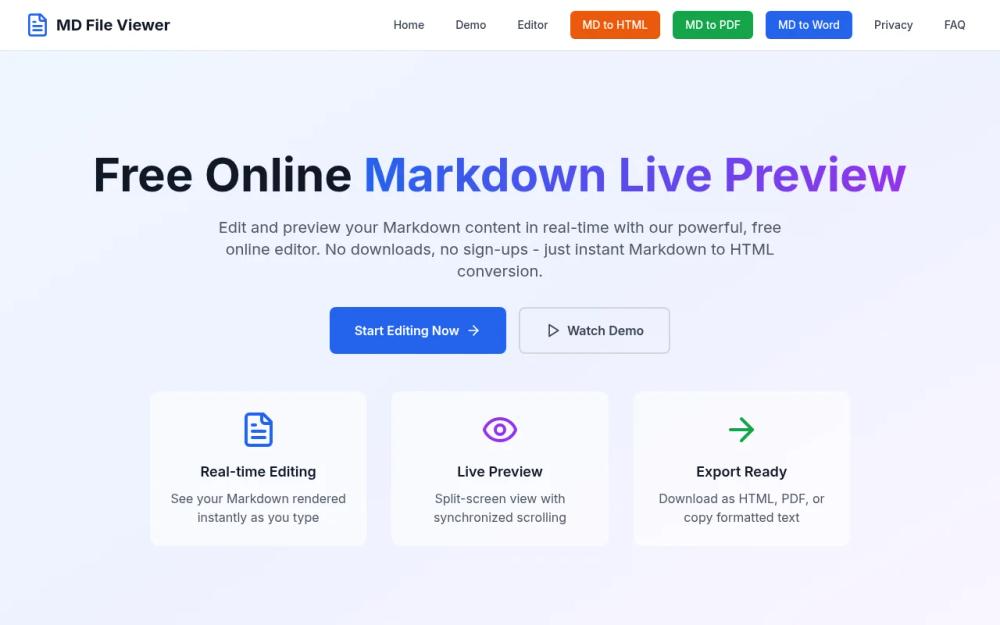
- Real-time Editing: Instantly see your Markdown rendered as you type.
- Live Preview: Split-screen view with synchronized scrolling for easy editing.
- Export Flexibility: Download your content as HTML, PDF, or Markdown files.
- Full Markdown Support: Compatibility with GitHub Flavored Markdown, including tables and code blocks.
- Privacy-First Approach: All processing happens locally in your browser, ensuring your content remains private.
Use Cases of MD File Viewer
- Software Documentation: Create comprehensive API documentation and README files.
- Academic Writing: Write research papers and thesis documentation with clean formatting.
- Content Creation: Streamline the writing process for blog posts and articles.
- Team Collaboration: Share Markdown files with team members for collaborative projects.
FAQ from MD File Viewer
- What is Markdown Live Preview and how does it work? Markdown Live Preview allows users to see their Markdown content rendered in real-time as they type, eliminating the need to switch between editing and preview modes.
- Is the online Markdown editor completely free to use? Yes, MD File Viewer is completely free to use with no hidden costs or subscription fees.
- Do I need to create an account or register to use the editor? No, there is no registration required to use MD File Viewer.
- Is my content secure and private when using the online editor? Yes, all processing happens locally in your browser, ensuring complete privacy and security of your content.